
Community
The Best Free Online AI Collage Maker of 2024
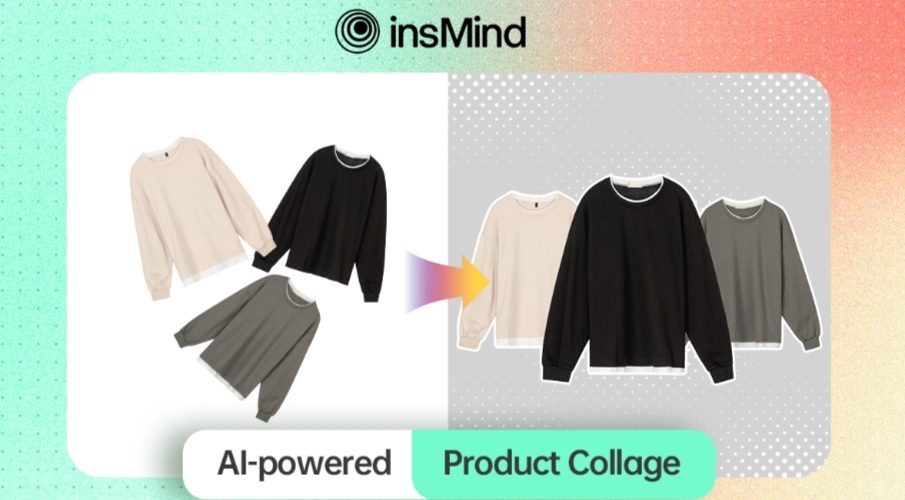
Whether you want to reminisce on old memories or create a stunning photo portfolio, a collage maker can do wonders. With the diversity and simplicity of a photo collage maker, you can showcase photos in an expressive and meaningful way. Moreover, these collages capture the essence of a special day, event, achievement, and more.
So, how can you create professional yet immersive photo collages that you can revisit with your friends and family? In this article, we’ll look at the best picture collage maker tool, insMind, that can create personalized collages.
Part 1. InsMind – Create Captivating Photo Collage with AI
To make visually pleasing and studio-quality photo collages, use insMind, an AI photo editing tool. It enables users to enhance their photos and create beautiful photo collages by providing a set of customizable tools and designs.
Moreover, this free collage maker contains innovative AI tools that take your pictures to the next level in just a few clicks. With the collage maker feature, you can perfectly arrange multiple images into one collage. Furthermore, if your images are displaced incorrectly, this tool offers various arrangement options to improve their visual appeal.
InsMind also provides custom editing that can help change the size, shadows, spacing, and depth of the photos. All-in-all, insMind highlights the importance of your pictures by enhancing their visual appeal for your family album or professional product.
Part 2. How to Make Photo Collage with AI Collage Maker of insMind
Creating a picture collage can be an easy task if you use the insMind creative image collage tool. With this tool, you can automate visual effects and layouts of the images with ease. Now, let’s focus on how to make and customize collages with this excellent AI collage-maker:
Step 1. Open AI Photo Collage Feature on insMind
Open the main website of insMind on any browser, and from the top toolbar, click the “Free Tools” option to open the drop-down menu. Choose “Product Image Collage” from here to access this robust AI tool.

Step 2. Upload Your Desired Photo
On the new “Product Image Collage Tool” window, press the “Upload a Photo” button. This will open a dialogue box from where you can upload the desired photo. You can also drop an image directly from your device.

Step 3. Customize the Layout and Design
Afterward, the tool will process the image and will display a customization screen. Here, from the right-side panel, choose the “Style” tab and pick the appropriate design for your image. Once satisfied, select the other editing options, like reflection, depth field, and spacing. When all the customizations have been made, click the “Apply” button.

Step 4. Save the Customized Photo Collage
Once you’re happy with all the changes, go to the top right corner of the tool and press the “Download” button. From the drop-down menu, select the suitable format and quality for the image and hit the “Download” button to save your progress.

Part 3. Advantages Of Using AI to Make Photo Collages
Every photo collage tells a story or showcases precious memories. And with the help of an effective tool, you can create stunning collages in seconds. AI technology has played a big role in making it possible, and various collage-maker tools use AI to create something unique. Moreover, using AI for collage-making has a wide range of benefits, which we’ll explore below:
- Creative Freedom: An AI photo collage maker provides you with a wide variety of different designs, themes, and templates. You can utilize these options to create something beyond your limitations and explore other ways to apply it to your photo collage.
- Improve Social Marketing: If you’re starting a line of brands on social media, making eye-catching product collages is a top priority. Therefore, using AI to create storyline-based collages of the products can enhance their visual appeal.
- Versatility: Users can produce diverse types of collages in various layouts for different purposes. Moreover, you can make desired adjustments to the layout with the help of these AI tools.
- Time-Efficient: With AI technology, you can efficiently arrange images within half a time compared to manual arrangements. Moreover, you can quickly pick the best photos from your collection to produce high-quality picture collages.
Part 4. Why Choose InsMind – Collage Making Genius
We did learn about how insMind quickly and effectively creates professionally stunning photo collages. If you need more proof of why insMind is the best choice for producing picture collages with AI, read the following points:
- Advanced Customization Options: InsMind AI photo collage maker offers an abundance of customization options. You can choose different styles and change their reflection, depth, intensity, and spacing to create amazing collages.
- High-Quality Output: This free collage maker lets you choose the quality of your final collage for better sharing it online. Moreover, this tool will save your progress with high-definition quality without any mistakes or errors.
- Versatile Export Choices: You can download the collage in PNG or JPG image format and set the quality from best to lowest before exporting. This way, users can add and share these collages on various social media platforms.
- Speed and Performance: This photo collage maker quickly renders your collage without lag issues and produces quality results. Furthermore, it can handle many photos with great resolution without slowing down the collage-making progress.
Wrapping Up
In conclusion, finding the best free collage maker can immensely enhance your chances of creating meaningful collages. Therefore, we introduced you to insMind, an all-in-one AI photo editing tool whose AI features are so fruitful, including AI background, magic eraser, AI filter, smart resizer and so on. All the features of insMind are specially designed for e-commerce. You can get high-quality results from this online tool as its tools are powered by AI. So, head over to its website and try out it advanced features today.